
dtoc
v3.1.0AI-assistedTable of Contents Extension
Never get lost in a long web page again.
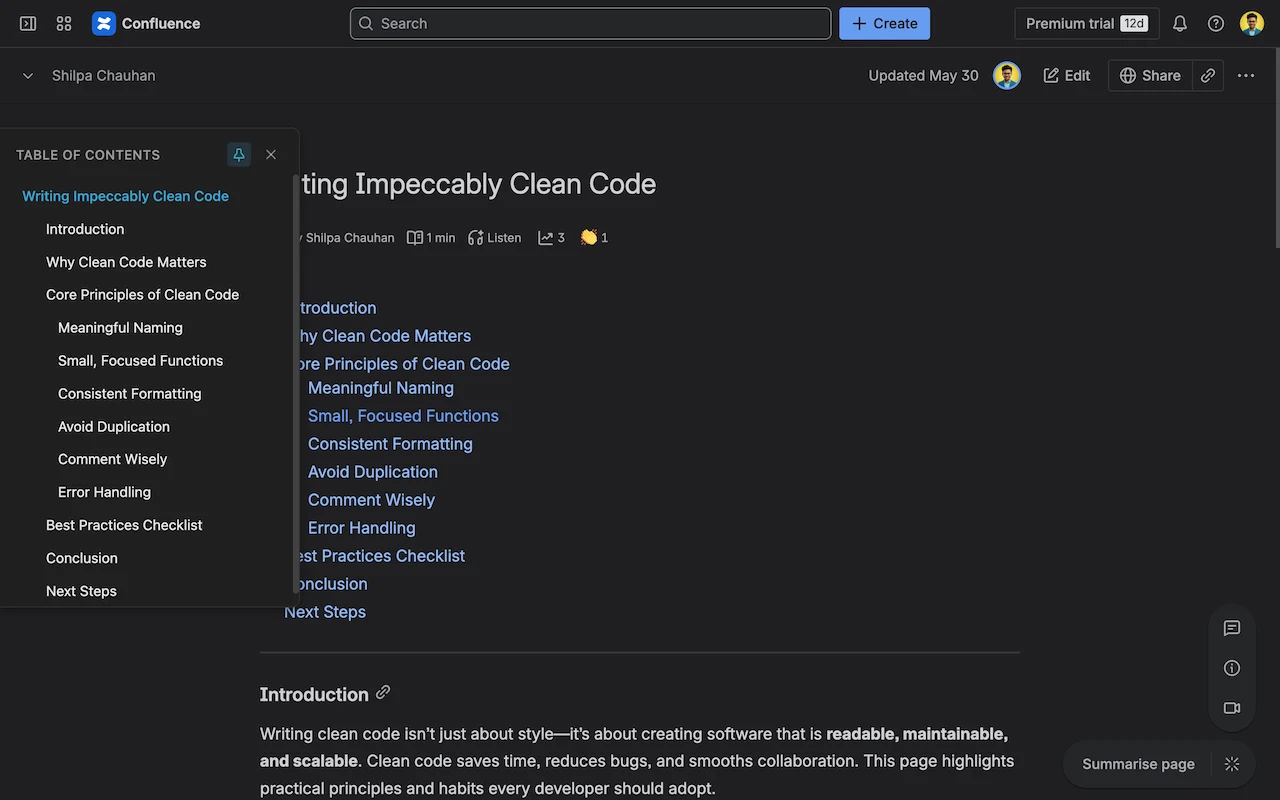
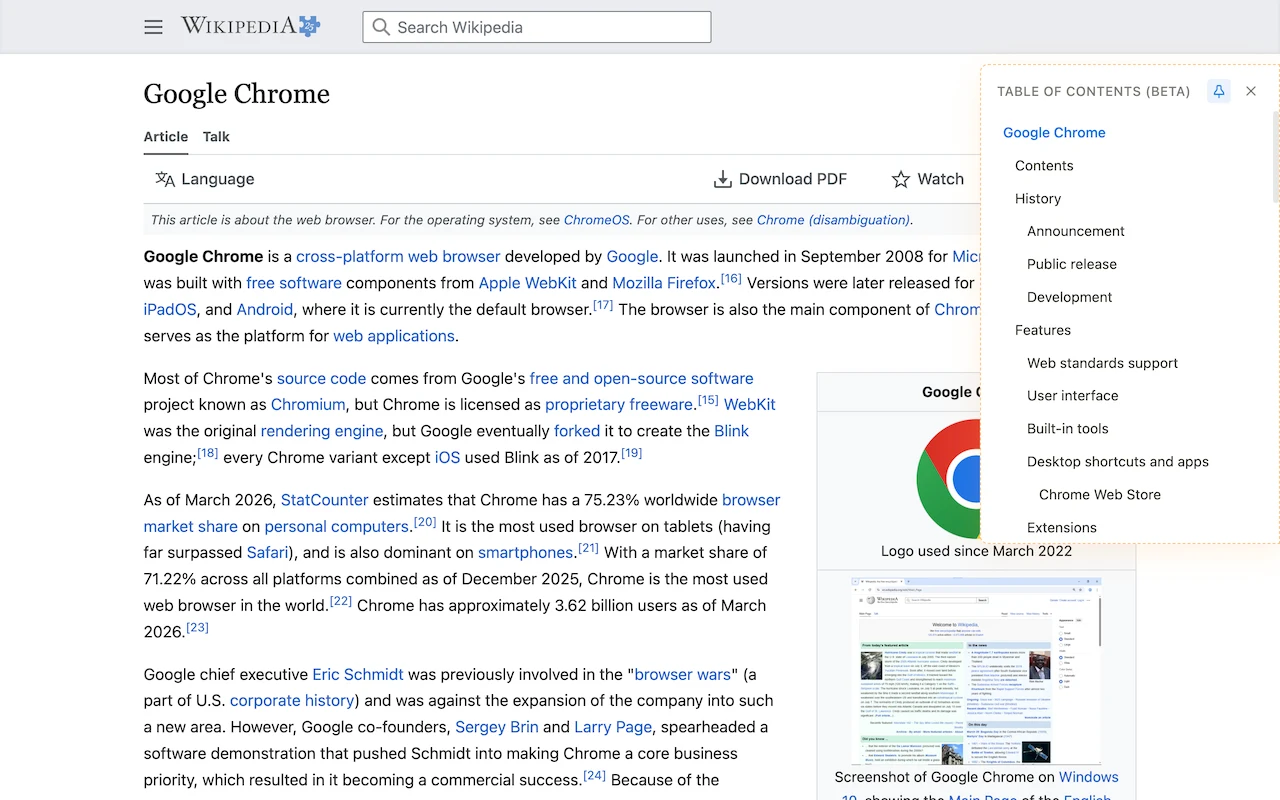
dtoc adds a clean, clickable table of contents to Confluence, Wikipedia, Medium, DEV and any long article, so you always know where you are and can jump to any section in one click. Free, open source, and nothing leaves your browser.
See it in action
A table of contents on the sites you already read

What you get
Less scrolling, more reading
Everything is designed to make long pages easy to move through, without cluttering your reading view.
Jump anywhere in one click
A clickable outline built from the page's own headings. No more scrolling, overshooting and scrolling back to find a section.
Stays out of your way
A slim drawer tucks to the edge of the page and opens when you hover or click, so your reading space stays yours.
Always know where you are
The section you are reading is tracked as you scroll, and edge markers give you a quick sense of how long the page is.
Matches your page
Automatically picks light or dark to match the page (and Dark Reader), with a manual override when you want it.
Private by design
No account, no analytics, no network requests. Everything runs on your device and your settings stay in your browser.
Always up to date
On dynamic sites like Confluence and Medium, the outline refreshes itself as the page changes, with no reload.
Works where you read
Confluence, Wikipedia, Medium and more
Built-in support for the sites people read most, and a Beta mode for everything else.
- Confluence Cloud
Review long design docs and wiki pages without losing your place
- Wikipedia
Jump around long articles in any language, no setup needed
- Medium & Publications
Skim a long read first, then dive into the part you care about
- DEV Community
Move through long technical guides and tutorials in one click
- Any Website (Beta)
Works on any page with standard headings; turn it on per site from the extension menu
Private by design
Safe for work laptops
Open source, fully local, and light on permissions, so your security team can audit it.
- Permissions
- Only what it needs to read headings and save your settings
- Page styles
- Isolated, so a site's CSS cannot break the outline
- Speed
- Target: under 1 second to build the outline
- Safety
- Hardened against oversized or malicious page headings
- Your data
- Settings stay in your browser; nothing is sent anywhere
- Browsers
- Chrome, Edge, Brave, Arc and Firefox
The story
Why I built dtoc
The problem
You're deep in a long Confluence doc and need one section. You scroll, overshoot, scroll back, and lose your place. Confluence, Medium and much of the web have no persistent outline.
What I built
I built the outline I wanted: a free, open-source extension for Chrome, Firefox and Edge. It's open source so anyone can read every line, and it never sends anything anywhere.
What you get
Jump to any section in one click and always see where you are. A wall of text becomes something you can move through with intent.
- Browser Extension
- Open Source
- Chrome
- Firefox
- Edge
- Productivity